A graphics card appears in a “recommended specs” table. Another guide suggests twice as much memory. Before long, you’re comparing upgrade prices for a game that doesn’t have published PC requirements.
Rockstar has not published official GTA 6 PC system requirements or announced a PC release date in the sources checked for this article. A hardware prediction therefore cannot tell you whether your computer will run the game.
There is still useful preparation you can do. Start by recording your current hardware, deciding what performance you would want, and understanding what future requirements would need to specify.
Our GTA 6 launch platforms guide covers the announced console versions and the distinction between those releases and Windows PC availability.
Information checked on November 14, 2026. This guide will need updating if Rockstar announces a PC version or publishes system requirements.
Are There Official GTA 6 PC Requirements?
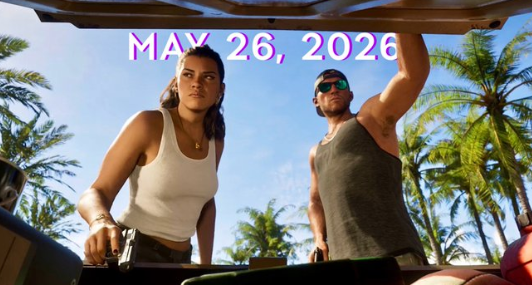
The official Rockstar GTA VI page lists November 19, 2026, for PlayStation 5 and Xbox Series X|S.
It does not provide a PC release date or minimum and recommended Windows specifications.
Here is the current position:
| Detail | Status in the official sources checked |
|---|---|
| PS5 and Xbox Series X|S release | November 19, 2026 |
| PC release date | Not announced |
| Minimum PC requirements | Not published |
| Recommended PC requirements | Not published |
| PC installation size | Not published |
| PC performance targets | Not published |
A console release announcement does not establish a PC release schedule. Treat a proposed PC launch window as speculation unless Rockstar explicitly confirms it.
The same applies to individual components. A plausible processor or graphics card recommendation remains an estimate until it is connected to an official requirement or a reproducible test.
Why Predicted Specification Tables Can Be Misleading
Hardware predictions often draw on console specifications, previous Rockstar releases, or demanding PC games already available.
Those comparisons can provide discussion points. They cannot establish how an unannounced PC version will perform.
The missing information matters:
- What resolution is the prediction targeting?
- Which graphics settings are enabled?
- Is the frame-rate target 30, 60, or higher?
- Does the estimate assume upscaling?
- Are ray-traced effects enabled?
- Is the claim about average performance or consistent frame delivery?
“Recommended GPU” is incomplete without a performance target.
A table suggesting a card for 1080p at modest settings cannot be compared directly with one targeting 4K and demanding effects.
Avoid treating agreement between several prediction articles as confirmation. They may be repeating the same assumptions.
How to Check Your Current PC Specifications
You can prepare a useful hardware record now without drawing a GTA 6 compatibility conclusion.
On Windows, open Start, type dxdiag, and select the DirectX Diagnostic Tool. Microsoft explains the utility in its DirectX guidance.
Record the following details:
| Component | What to write down |
|---|---|
| Processor | Full model name |
| System memory | Installed RAM |
| Graphics hardware | Full GPU name |
| Graphics memory | Dedicated VRAM, where reported |
| Operating system | Windows edition and version |
| Storage | Drive type and available capacity |
| Display | Resolution you normally use |
Check the relevant display tabs carefully if your computer has more than one graphics device.
Keep dedicated graphics memory separate from shared system memory. Combining the two figures can give a misleading impression of the graphics card’s capacity.
For a laptop, record its exact model as well. A desktop and laptop GPU with similar names should not automatically be treated as equivalent.
What Minimum and Recommended Specs Would Actually Tell You
When official requirements become available, read any accompanying performance notes.
“Minimum” does not have a universal meaning across publishers. It may refer to a particular resolution, graphics preset, or frame-rate target.
“Recommended” also needs context. Meeting that list would not automatically establish a 4K, maximum-settings experience.
The useful comparison is between your complete system and the stated target.
A powerful graphics card cannot explain the whole result if the processor, memory, storage, or software environment falls outside the supported configuration.
Keep launcher performance separate from game performance, too. Our Xbox PC app update overview explains why reaching a library faster does not establish a corresponding increase in in-game frame rate.
Can an RTX 3060 or 16GB of RAM Run GTA 6?
There is no verified answer yet.
Suppose your desktop has a Ryzen 5 3600, an RTX 3060, 16GB of RAM, and an SSD. That description is useful for a future comparison, but it does not justify a “playable at low settings” verdict today.
You would still need:
- Official PC requirements.
- Supported graphics features.
- A defined resolution and frame-rate target.
- Performance testing representative of your hardware.
The same uncertainty applies to newer, more expensive systems. Spending more cannot guarantee a specific result in software that has not been benchmarked on that configuration.
Keep your hardware record ready. Once reliable information appears, you can compare the components without reconstructing your setup from memory.
How Much Storage Will GTA 6 Need on PC?
Rockstar has not published a PC installation size in the official sources checked.
Figures such as 150GB or 750GB should therefore not be presented as established PC requirements. A console download, a rumored package size, and a future PC installation are different pieces of information.
You can review your available storage now, especially if your drive is already close to full. Base any purchase on your current needs rather than an unconfirmed GTA 6 number.
Before uninstalling games, check where their saves are stored. Keep personal files and backups separate from installations you can download again.
There is no reason to reserve an invented amount of space simply because it appears in a search result.
Should You Upgrade Your PC Before Official Specs Arrive?
If GTA 6 is your main reason for upgrading, waiting gives you a stronger basis for choosing components.
If you also need better performance in games or applications you use today, evaluate those needs independently. Their measured performance can help you decide what an upgrade would accomplish immediately.
For U.S. and Canadian buyers, compare the full purchase cost in your local currency, including applicable taxes and any additional parts required.
A useful rule is to write down the problem before selecting the component:
“My current games fall below my preferred frame rate at this resolution.”
That is a clearer purchasing reason than:
“An unofficial GTA 6 table says I might need this card.”
You can follow more platform explainers and current releases through Enzvia’s Gaming section.
What to Look for When Rockstar Announces More
A meaningful PC announcement should clearly identify the platform and provide the relevant release or availability details.
When requirements appear, check their publication date, supported operating systems, hardware lists, storage requirements, and any performance notes.
Then look for independent benchmarks that explain the test system, settings, and version of the game. Those details will help you judge how closely the results match your own setup.
For now, the most useful preparation is knowing what you own and what experience you want. Keep the hardware list, hold onto the upgrade budget, and let confirmed information guide the next decision.