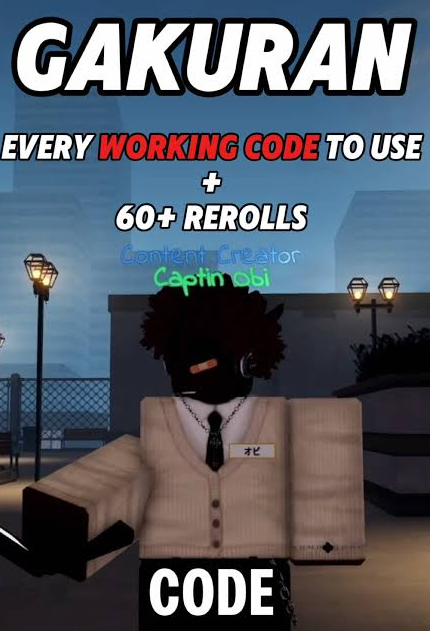
Looking for Gakuran codes to claim extra rerolls? Before entering a long list, check whether the code is current and whether your account meets the requirements shown inside the game.
Enzvia has not independently confirmed any working Gakuran codes for this update. We could access the official Roblox listing, but not the developer announcements needed to verify an active code list. We have also not tested redemption in the game.
Below, you’ll find two previously reported codes to try, their verification status, and a practical guide to checking redemption problems.
Research checked on November 14, 2026. Code availability can change. This page does not label untested codes as verified.
For more current events and practical walkthroughs, explore Enzvia’s Gaming section.
Gakuran Codes to Try
These codes appeared in public code listings during our research. Their current availability and rewards remain unconfirmed by Enzvia.
| Code | Previously reported reward | Current Enzvia verification |
|---|---|---|
strays |
67 rerolls | Not independently confirmed or tested |
9999rerolls |
1 reroll | Not independently confirmed; capitalization also needs checking |
The second code has appeared with different capitalization. Without an accessible developer announcement or a successful in-game test, we cannot confirm which version is required.
The name 9999rerolls should not be interpreted as a promise of 9,999 rerolls. The reported reward was one reroll, and that reward still needs confirmation.
If either code fails, read the response before trying again. An expired code, an account restriction, and a typing error can require different next steps.
Make Sure You’re Opening the Correct Gakuran Experience
Start with the official Gakuran Roblox listing. The creator is listed as (学乱) Gakuran.
The developer describes the experience as a slice-of-life setting in Japan in May 2007, while acknowledging the community’s enthusiasm for fighting.
Check the creator before joining an experience with a similar name. A familiar thumbnail or a promise of rewards is not enough to identify the correct game.
Also distinguish a problem opening the experience from a problem redeeming a code. If you cannot enter the game, you haven’t yet reached the stage where you can determine whether a code works.
How to Redeem Gakuran Codes
The redemption route described in the guides reviewed for this article uses the game’s menu and a dedicated Codes option. We have not independently tested the current interface.
When you have access to the experience:
- Open Gakuran through its official Roblox listing.
- Look for the menu on the left side of the screen.
- Find the Codes option.
- Enter one code in the available field.
- Select Redeem.
- Read the response and check the relevant reward balance.
Menu layouts can change after updates. Follow the labels currently displayed in the game rather than relying only on an older screenshot.
Enter one code at a time. That makes it easier to identify which attempt produced a confirmation or an error.
Are There Requirements Before You Can Use Codes?
Public guides describe requirements involving community membership, playtime, and account eligibility. We could not confirm the complete current requirements through accessible developer announcements.
For that reason, we are not presenting a fixed checklist of requirements as established fact.
Read the message shown to your account. If the Codes option is locked, note whether the game specifies a requirement before assuming every code has expired.
You can find the developer’s Roblox community through its official page. Use the community associated with the game rather than joining an unrelated group offering guaranteed rewards.
A requirement for entering the experience may also differ from a requirement for redeeming a promotion. Keep those two situations separate when troubleshooting.
Why Isn’t a Gakuran Code Working?
Begin with the exact response, then check the most likely explanation.
| What happens | What to check first |
|---|---|
| You cannot open the game | Experience access and any account message |
| The Codes option is unavailable | Requirements displayed inside the game |
| The code is rejected | Spelling, capitalization, and extra spaces |
| The game says it was already redeemed | Whether you previously used that code |
| A reward seems missing | Confirmation message and the relevant balance |
Copying text can introduce a space before or after a code. Remove accidental spaces before retrying.
If the code’s capitalization is uncertain, keep a record of the version you entered and the response. Repeatedly guessing variations will not establish whether the promotion is still active.
Avoid spending Robux to solve an unidentified redemption problem. First determine whether the issue concerns access, eligibility, or the code itself.
Check What a Reroll Changes Before Using It
The public guides reviewed describe rerolls as attempts to change character options. The exact options and rules should be checked in the current game interface.
Before using one, read which attribute or selection it affects and whether the result is random.
If there is something you want to keep, pause before confirming. More attempts do not guarantee the particular outcome you have in mind.
Claiming a reward and deciding how to spend it are separate choices. Understanding the second step can be more valuable than rushing through the first.
If you also play other games, our Apex Legends Godzilla event rewards guide covers a separate promotion. Its account connections and reward conditions do not apply to Gakuran.
How to Find New Gakuran Codes
Use the game’s official Roblox listing as your starting point for locating its associated community channels.
When you find an announcement, check:
- The publication date.
- The exact code text.
- Any expiration time.
- Account or playtime requirements.
- The reward described by the developer.
An old screenshot can continue circulating after a promotion ends. Likewise, a recent date on an article doesn’t establish that every listed code was successfully redeemed that day.
A useful code update should explain what was checked. For this version, our check was limited to accessible public information; it did not include in-game redemption or readable developer code announcements.
Know someone who plays Gakuran? Share this guide so they can check the available information and troubleshoot redemption before spending time on an outdated list.