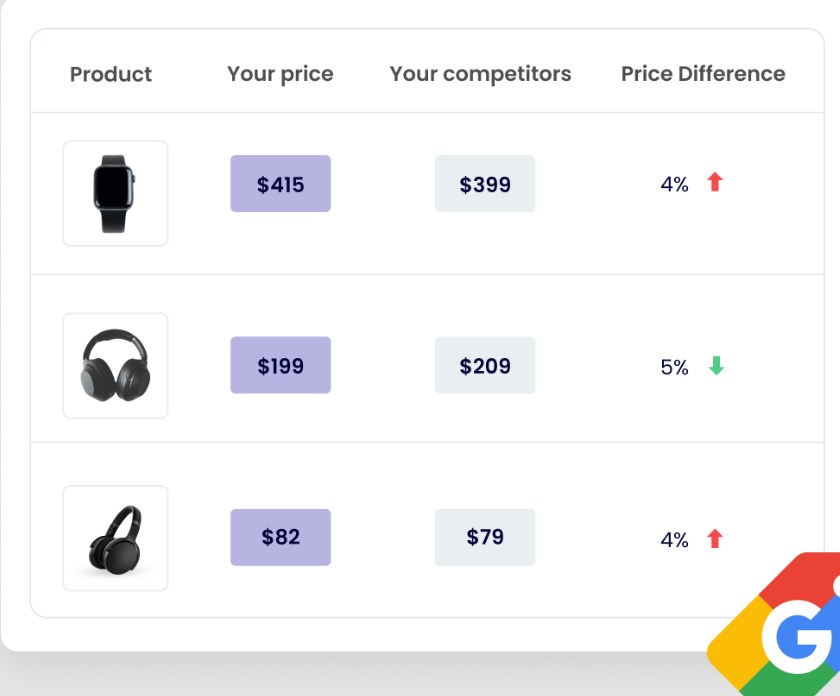
A price-drop alert is useful only when it tracks the right product. Cheaper headphones might be refurbished, a different generation, or sold with delivery charges that erase the savings.
Google Shopping lets shoppers follow product prices and receive notifications when they fall. Setting up tracking takes a few steps. Making it useful means choosing the right model, keeping a realistic budget, and checking the offer before paying.
For purchases focused on Amazon, our guide to checking price history with Keepa covers a more specialized option. Google’s tracking is worth exploring when a shopping search takes you across several retailers.
Set Up Your First Google Shopping Price Alert
According to Google’s official price-tracking guidance, tracking is available in countries including the United States, Canada, and Australia. Features can vary by device and interface.
Start with one product rather than an entire shopping list:
- Sign in to your Google Account on the web or in the Google app.
- Search for the product.
- Open its product card in the results.
- Select “Track price” if available.
- Choose the relevant options, such as size or color.
- Set a target price if that option appears.
- Confirm tracking.
Notifications can arrive through the Google app and by email. Check the application’s notification permissions so an alert doesn’t go unnoticed.
A familiar product makes a good first choice. Its specifications will be easier to recognize, and you’ll have a clearer idea of what would make an offer worthwhile.
The Model Number Matters More Than the Discount
Product names can hide important differences. A laptop may come with several memory configurations. A coffee maker might be sold alone or with accessories. A pair of shoes could be discounted in only one size.
Before enabling an alert, identify the version you’d actually buy.
For electronics, record the model number and configuration. For household products, check capacity, quantity, and included items. For clothing, confirm size and color.
A short note is enough:
27-inch monitor, exact model, new condition, delivery included.
That becomes a reference when an alert arrives weeks later. Without it, an apparently better price can lead to a different purchase.
Avoid widening your requirements just because an offer looks attractive. A cheaper product that doesn’t meet the original need can still be wasted money.
Choose a Target Price That Helps You Decide
The most useful threshold is an amount that fits your budget and would make you consider buying.
Take a fictional example: a small appliance costs US$120, and the planned budget is US$100. That US$100 figure provides a reason to review a future offer.
An extremely low target may never become available. A threshold close to the current price may generate interest without changing the decision much.
Timing matters, too. Replacing a broken appliance this week leaves less room to wait than buying something for a project several months away.
Before choosing a threshold, settle three points:
- The maximum total cost you can afford.
- The date by which you need the item.
- The specifications you’re willing to accept.
An alert then supports a decision you’ve already thought through. It doesn’t have to become another reason to browse.
When the Notification Arrives, Compare the Total
The number in an alert is the beginning of the comparison.
Open the offer and check the seller, condition, delivery date, and return terms. Confirm that the product still matches the reference you saved.
Then look at the total cost. These fictional offers illustrate why:
- Store A: US$95 plus US$12 shipping.
- Store B: US$102 with shipping included.
Before any differences in tax, Store A totals US$107. Store B has the higher advertised product price but the lower delivered cost.
Other conditions can change the comparison: a required membership, a minimum purchase, or a discount available only with a particular payment method.
An unfamiliar merchant deserves a separate check. Our guide to spotting fake shopping websites and Black Friday scams explains what to examine before entering payment details.
A lower price doesn’t establish that a seller is trustworthy or that a product suits your needs. Those checks remain part of the purchase.
Why Isn’t “Track Price” Showing?
A missing button doesn’t necessarily indicate an account problem. Google says availability varies across devices and interfaces.
Check that you’re signed in, then open an actual product card rather than a regular link to a store. A more specific search may also help you reach the correct product.
If the option remains unavailable, try the Google app or the web interface. Confirm that tracking is offered in your country.
There’s little value in changing your region or installing an unfamiliar extension simply to make a button appear. For one purchase, saving the product page and checking occasionally is a reasonable fallback.
The same practical approach applies when no alert arrives. Review the account used for tracking, notification permissions, and email folders before assuming the price has never changed.
Keep the List Small Enough to Use
Price tracking becomes less useful when it fills an inbox with products that no longer matter.
Remove an item after buying it or abandoning the purchase. Google’s tracking emails include an “Unsubscribe from this product” option. Shopping notifications can also be managed in the Google app’s settings.
Using one Google Account consistently makes confirmations and saved items easier to find.
A quick review after a major purchase is usually enough. Keep alerts for things you still intend to buy, rather than maintaining a collection of every product that once looked interesting.
Where Universal Cart Fits In
Google announced the US launch of Universal Cart on October 15, 2026. It brings products from multiple retailers into one place and includes notifications about price drops and items returning to stock. Google’s launch announcement describes the rollout.
That US announcement doesn’t establish that identical features are available in Canada or every other country with price tracking.
For occasional shopping, a single-product alert may be all that’s needed. A shared shopping destination becomes more useful when several planned purchases are otherwise scattered across tabs, screenshots, and store pages.
Explore the features available in your account according to the problem they solve. There’s no need to organize a large cart just to monitor one appliance.
Already Bought It? Check the Retailer’s Policy
An alert arriving after checkout can be frustrating, but it doesn’t automatically mean the opportunity is lost.
Some retailers accept price-adjustment requests within specific periods. Others have different restrictions or don’t offer a general adjustment policy.
For a US Best Buy purchase, our guide to requesting a Best Buy price adjustment explains what to gather before contacting support.
Keep the receipt, order number, and exact product reference. The notification itself isn’t confirmation that a refund is available.
Google’s price tracker is most useful for purchases that can wait. Set a sensible threshold, leave the alert to do its job, and return to the details when something changes. The goal is fewer repeated checks and a clearer buying decision.
Know someone who keeps reopening the same stores while waiting for a sale? Share this guide with them.