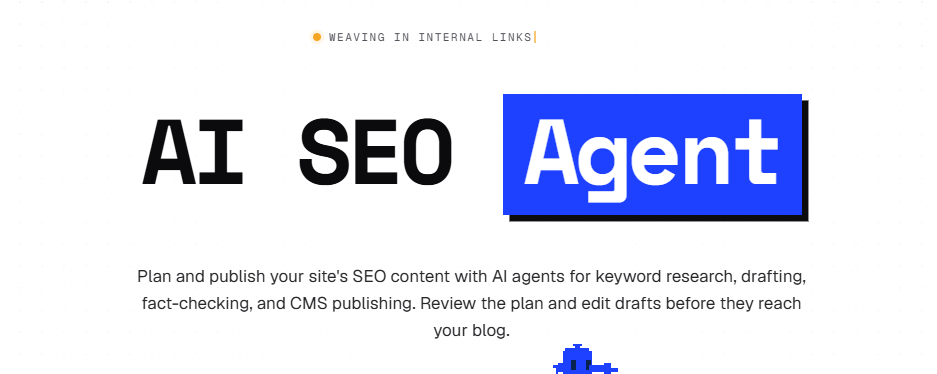
Want to grow your business blog, but finding topics, writing articles, and getting them published takes too much time? The SEO Agent brings those steps together in one application, with the option to review content before it goes live.
The platform offers an appealing approach for entrepreneurs, small marketing teams, and website owners: use your website as the starting point for a content calendar, generate drafts, and simplify publishing.
Its three-day trial costs US$1, giving you an opportunity to explore the service with topics relevant to your business. Here’s what The SEO Agent offers, how its pricing works, and how to make the most of your first few articles.
What Is The SEO Agent?
The SEO Agent is an AI-powered content platform designed to help businesses produce search-focused blog articles.
According to the company, it handles keyword research, content planning, drafting, source checking, and publishing. Articles can also include images, metadata, and internal links.
The appeal is having a connected workflow built around your website. You can review topic suggestions, edit drafts, and decide which articles are ready to publish.
The company says automatic publishing stays off until you enable it. That review step gives you room to bring your expertise and understanding of your audience into the process.
Build a Content Calendar Around Your Website
Keeping a blog active requires a steady supply of relevant ideas. After the first few posts, deciding what to cover next can become surprisingly time-consuming.
The SEO Agent offers to analyze your domain and prepare a content plan. It also advertises a Google Search Console connection that uses your website’s pages, search queries, and performance data.
That approach can provide a starting point for identifying questions your blog already answers and topics worth exploring next.
For a consultant, those topics might address questions potential clients ask before booking a call. For an online store, they could help customers choose, use, or maintain a product.
A useful topic starts with a recognizable reader need. Before approving a calendar, check that each suggestion fits your business and adds something beyond your existing articles.
A practical tip is to write down the specific question each proposed article should answer. If several ideas lead to essentially the same answer, combining them into one stronger resource may make more sense.
For businesses targeting both the United States and Canada, also check local details. Prices, measurements, product availability, and regulations may need different explanations for each market.
Turn Drafts Into Content That Reflects Your Expertise
The SEO Agent says its drafting process includes citations and a check of factual claims against sources saved during research.
According to the company, unsupported statements can be revised or removed. Articles with unresolved factual issues are held for review.
This provides a useful framework for editing. You can then focus on the areas where your own experience adds the most value.
Your contribution can turn a general draft into a resource readers remember. Consider adding a recurring customer question, a process your team uses, or advice drawn from a real situation.
For an article about software, explain when a small business might outgrow a basic plan. For a practical guide, include an example with enough context for readers to apply it to their own circumstances.
Those details make content more useful and give people a reason to keep reading.
Simplify Publishing on WordPress and Other Platforms
Finishing the text is only part of getting an article online. Images, formatting, links, and search metadata still need attention.
The SEO Agent advertises support for several of these publishing tasks. Its WordPress connection uses a publishing plugin, and the company also documents connections for platforms including Webflow, Shopify, Ghost, and Wix.
For a small team, reducing these repetitive tasks could make a regular publishing schedule easier to maintain. The time saved can go toward reviewing examples, improving explanations, and sharing the finished content.
When evaluating your first articles, check how they look on both desktop and mobile. Pay attention to headings, spacing, images, and any tables.
Open the suggested internal links, too. Each destination should help readers continue their research with relevant, current information. A link to an older product version may need replacing even when the general topic seems related.
Ready to explore the workflow on your own website? You can discover The SEO Agent and start the US$1 trial. The trial lasts three days and automatically renews at US$99 per month unless you cancel before renewal.
The SEO Agent Pricing
At the time of our review, the main plan included 30 articles per month for one website.
| Offering | Advertised price |
|---|---|
| Three-day trial with the first three articles | US$1 |
| Subscription for one website | US$99 per month |
| Each additional website | US$79 per month |
The company says cancellation is available inside the application. It also advertises a seven-day money-back guarantee on the first US$99 subscription charge.
All prices are listed in U.S. dollars. Canadian users should account for currency conversion and any fees charged by their payment provider. Applicable taxes may also affect the final total.
If you use all 30 articles, the monthly subscription works out to US$3.30 per included article, before your own editing and review time.
The more useful calculation, however, is how many articles you can confidently publish and how long they take to finalize. A relevant, accurate article that helps your audience has more value than a post created simply to fill a calendar slot.
What Do Online Reviews Say About The SEO Agent?
Our research found several listings and product overviews, but detailed customer accounts were limited in the results we reviewed.
An overview on AI Search Tools highlighted the source-checking approach while noting that it had not found independent reviews confirming the performance claims.
The official website also displays customer testimonials and search-performance screenshots. These illustrate results selected by the company, but they do not predict what another website will achieve.
For a useful assessment, pay close attention to the first drafts produced for your business. Topic relevance, factual accuracy, and the amount of editing required will give you practical information.
Treat the trial as a small editorial evaluation, using criteria that reflect how your team actually works.
How to Make the Most of the Three-Day Trial
Prepare a few ideas before starting. That leaves more time to assess the output and understand where the application fits your workflow.
Start With a Question You Know Well
Choose something customers frequently ask you. Your familiarity with the topic will make it easier to spot useful explanations, missing details, and statements that need clarification.
Check whether the main answer appears early enough and whether readers understand what to do next.
Try a Practical Guide
A guide lets you evaluate the quality of instructions and examples. Pick a specific task, such as preparing a document, using a feature, or solving a common problem.
Ask whether someone new to the topic could follow the steps without searching elsewhere for essential information.
Measure the Time You Actually Save
Record how long you spend reviewing, checking, and improving each draft. Compare that with your usual production process.
This can help you identify which types of articles work well with the application and which require more direct input from your team.
Also note repeated corrections. If several drafts need the same terminology changes or local-market adjustments, those observations can help you refine the instructions you provide.
Plan How You’ll Share the Articles
A finished post can also support a newsletter or a LinkedIn campaign.
To identify visits from those campaigns, use our free UTM generator to build tagged campaign URLs. Choose consistent campaign names so the results are easier to compare in your analytics platform.
Use those parameters for links distributed through external campaigns. Keep the standard URLs for internal links within your website.
For more application discoveries and practical digital advice, explore Enzvia’s Internet section.
Who Should Consider The SEO Agent?
The SEO Agent is worth exploring if you run a business or small marketing team and want a more consistent approach to blog publishing.
Its proposition is particularly appealing when you have subject expertise but limited time to turn that knowledge into articles. The application can prepare the groundwork while you contribute examples, context, and an understanding of your customers.
The goal is useful content you are comfortable publishing under your brand. Relevant topics, clear explanations, and accurate information remain the best criteria for deciding whether it fits.
If that sounds like your situation, you can create your The SEO Agent account and explore the three-day trial. Bring a few topics that represent your business so you can evaluate the application against real needs.
Have a Product Enzvia Readers Should Discover?
Building a useful app, software service, or product? We’re interested in discovering solutions that help people work smarter, solve everyday problems, or explore something new.
Contact Enzvia with a short introduction, your product’s website, who it helps, and what makes it worth discovering. You can also include demo access or details about a potential editorial or promotional collaboration.